
x-transaction-key header in all calls:
Steps to Obtain the Key
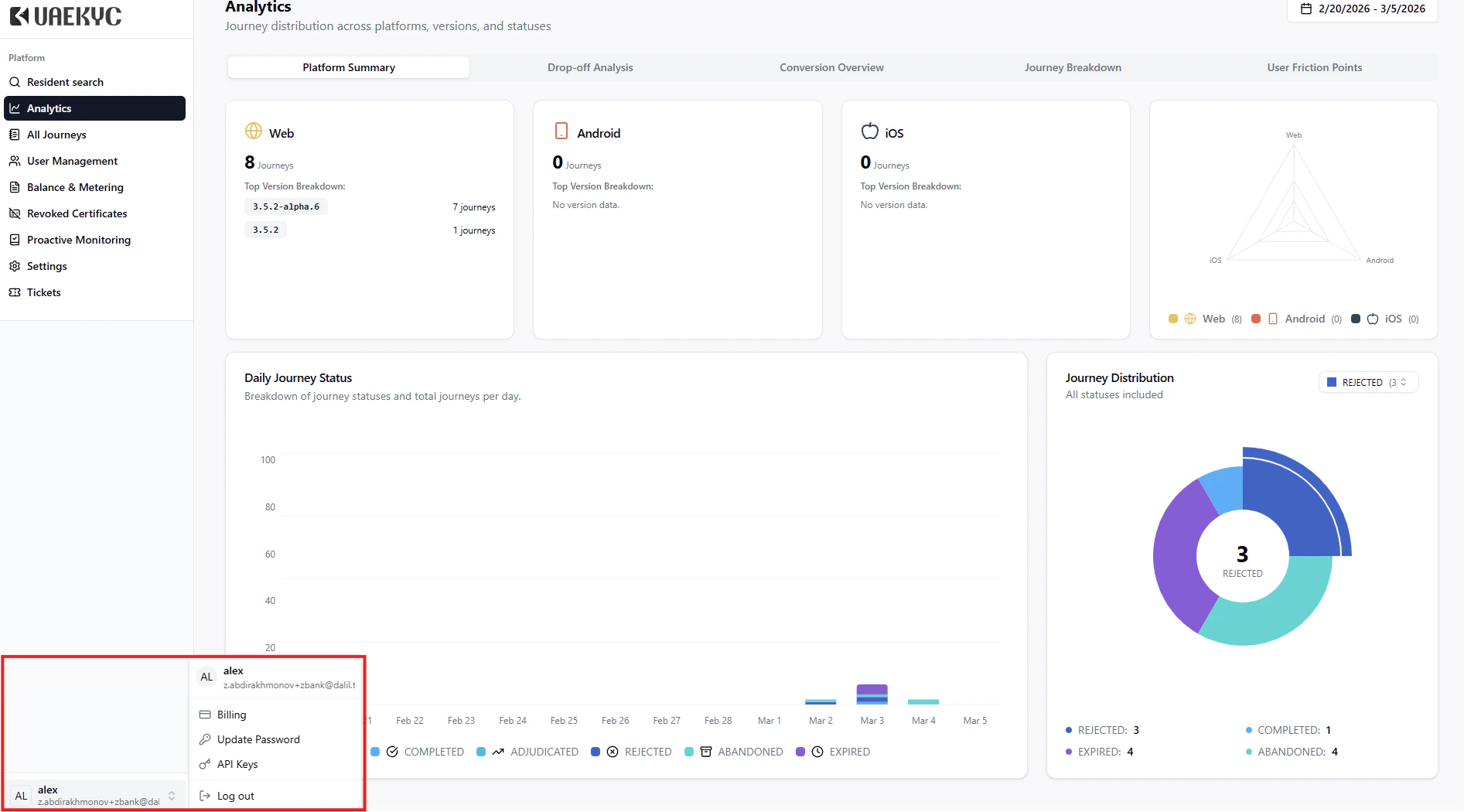
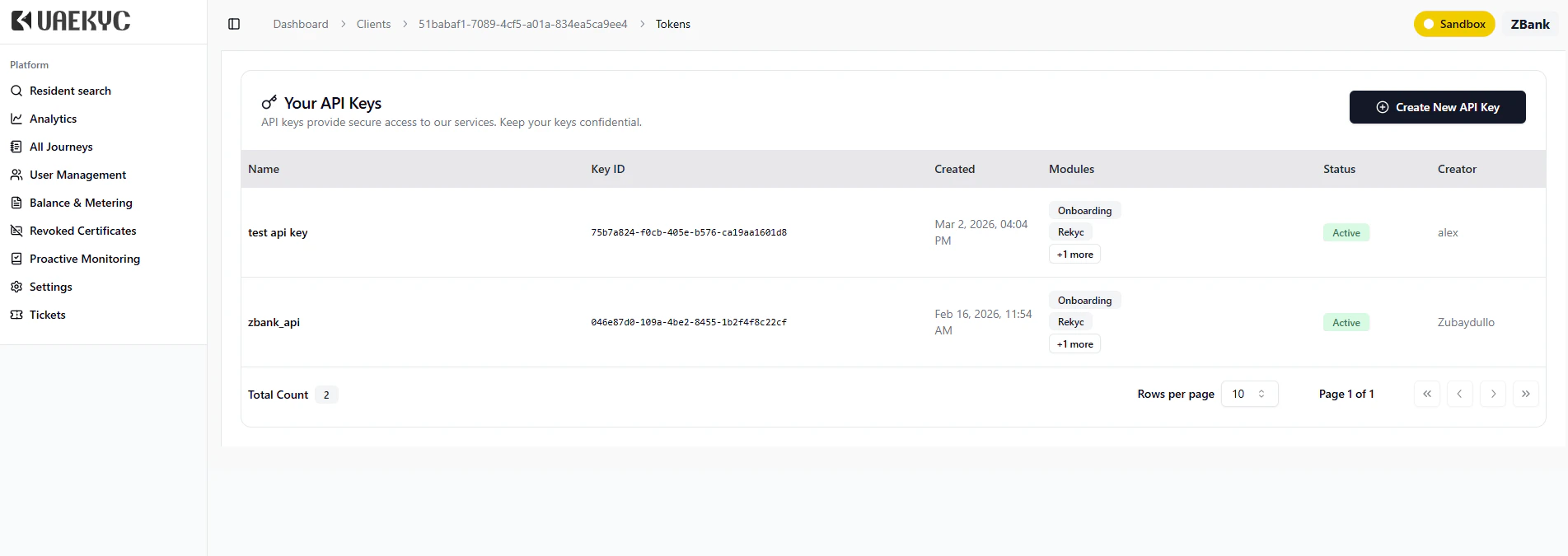
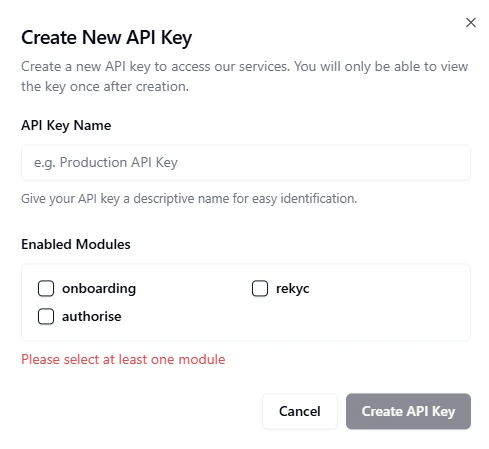
View your available API keys and copy the one you wish to use. Click Create New API Key if you need a new one.
Security Considerations
| Practice | Description |
|---|---|
| Never share publicly | Do not expose the key in client-side code, public repos, or logs |
| Secure storage | Use environment variables or a secrets vault (e.g., AWS Secrets Manager, HashiCorp Vault) |
| Rotate periodically | Follow your organization’s key rotation policy |
| No hardcoding | Never embed keys directly in source code |